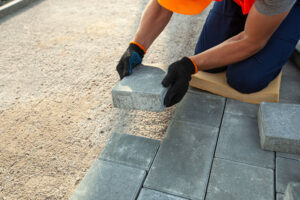
How to Cut Paving Slabs
Cutting paving slabs is a straightforward job when you have the right tools and know what you’re doing. By following this comprehensive guide by Minster


Designing your own garden can be an exciting and enjoyable experience for many people. However, if you’re one of the many who struggle to understand what might look best in your outdoor space, don’t worry – we have a solution for you, and it comes in the form of free and paid garden design software and apps.
Through these digital tools, you can visualise how your garden may look using different design ideas, allowing you to find the look that matches your dream garden. In this article, we’ll list the top software to try today, from Gardena to SmartDraw, so you can get started on your outdoor project with confidence!
There are many benefits to using garden design software apps, such as to:
Let’s take a detailed look at some of the best free and paid digital garden design tools for your next outdoor project

SmartDraw is a popular free software for computer-based garden landscape design. Featuring a series of different templates for a headstart, such as a patio garden plan, SmartDraw uses an easy-to-use interface to create your 2D designs. The scale of your garden layout can be changed at any time for greater accuracy, allowing you to properly plan your space.
Pros:
Cons:

iScape is a free app (with additional paid options) that gives you the ability to create your own garden in 2D and 3D. Notable features include several easy-to-use design tools, an integrated proposal tool (pro package), and a materials list. You can easily share your design with others, and the collaboration feature allows others to contribute to your project, too!
Pros:
Cons:

Gardena myGarden is a completely free web app that allows you to design a garden from scratch, using accurate dimensions for proper planning. You can choose your plot type, such as grass or gravel, and proceed to drag-and-drop elements such as decking, plant pots, vegetable patches, and even fun items for children such as trampolines and football goals!
Pros:
Cons:

Home Design 3D is one of the easiest decoration apps out there. You can build a multi-level garden with ease, furnishing it as you wish to fully visualise your plans. In the free version, you can test the different functionalities of the app and explore its endless possibilities, such as the ability to mark out the exact dimensions of garden fences.
Pros:
Cons:

Shoot is an innovative piece of software that can turn your garden vision into reality right in front of your eyes. Not only can you design your own outdoor area, including ponds and pathways, but you can also research and manage the care needs of your different plants too – all in one place. Although Shoot does offer a free package, the paid version gives you a far greater range of features to use.
Pros:
Cons:

Plan-a-Garden by Garden Puzzle is a simple yet powerful app for Mac, iPhone, or Windows. Featuring a database of 1200+ plants and 170+ decorative elements, Plan-a-Garden helps you build your garden design using a photo of your existing space and drag-and-drop flexibility. Although this app uses a paid subscription, you can try it out with a free demo.
Pros:
Cons:

SketchUp v7 is a professional-level piece of software that allows you to design all sorts of architectural masterpieces, making it particularly useful for shaping a new patio area. Its interface is detailed, giving you plenty of flexibility in your designs, and the 3D element helps you to properly plan how your garden could look.
Pros:
Cons:

Yard Planner by Home Outside is an app for mobile that uses simple tap-and-drag features to shape your property plan or garden layout. Using a 2D bird’s eye view of your garden, you benefit from over 700 useful and fun hand-drawn elements, such as buildings, pathways, outdoor dining, and even fire pits. Although Yard Planner is a paid app, it’s just a one-time £3.99 fee.
Pros:
Cons:

Garden Plan Pro is the perfect app for planning and designing your own flowerbed garden. This app is geared towards both beginners and experienced gardeners, helping you to learn about the different care needs of each plant, such as positioning, spacing, and watering. Although this app is more for those who want to plan their flowerbeds, it is still a useful tool for all projects!
Pros:
Cons:

Garden Planner by Small Blue Printer is a fully customisable garden planning software that allows you to design in 2D and walk through in 3D. You can build planting beds suited for square-foot gardening, add over 1700 plant and object symbols, and draw your own paving, decking, paths, walls, and ponds.
Pros:
Cons:
Once you’ve designed your garden, it’s time to bring these ideas to life. At Minster Paving, we stock every garden item you could possibly need, from natural stone paving to artificial grass, drainage, walling, and even fire pits and pizza ovens! All of our products are high-quality and ideal for a range of different budgets, meaning we’ll have something suitable for your needs.
If you’d prefer to see any of our products in person, why not come and visit our Standlake-based premises? Our expert team will be on hand to discuss any of our products with you. Alternatively, we’re contactable online – simply get in touch and we’ll be happy to help!
Cutting paving slabs is a straightforward job when you have the right tools and know what you’re doing. By following this comprehensive guide by Minster

How Much Fall Should a Patio Have? This is the question that many people ask when they begin to build their first patio. We’ve created


